The hub: every client site in one place
New in the next release
This is on the dev and qa builds now, and in the next release. It needs an MSP license.
An MSP watches many client sites. Collimo runs at each one as a collector, which watches that site as a single install does, and sends what it sees to one hub. The hub shows every site, sends the notifications for all of them, and keeps each site's records and graphs.
| Runs where | Watches | Its page | |
|---|---|---|---|
| Hub | Wherever you run your tools: your office, a VPS | nothing itself | every site, on the Sites tab |
| Collector | At each client site, on any Docker host | that site | a read-only status page |
All three roles (standalone, collector, hub) are the same image, picked by
COLLIMO_ROLE. Your own office runs a collector like any other site; it
can sit beside the hub on the same Docker host.
Nothing opens a port
A collector only ever calls out to the hub. Nothing connects in to a client site, and no port needs opening at the site, or in front of the hub if you reach it over a tailnet. Every message, both ways, is encrypted to the receiver and signed by the sender, inside whatever the route already encrypts, so a proxy, a firewall that inspects traffic, or a tunnel in the middle sees only ciphertext.
How a site's data gets to the hub
  client site                                            your hub
 ┌──────────────────────────┐                         ┌──────────────────────────┐
 │ collector                │   1. push: what changed  │ hub                      │
 │  watches UniFi, hosts,   │ ───────────────────────▶ │  checks the signature,   │
 │  storage, power          │   sealed to the hub,     │  opens it, keeps it      │
 │  outbox on its volume    │   signed by the site     │  per site                │
 │                          │ ◀─────────────────────── │                          │
 │  drops what was received │   2. reply: what it has, │  graphs: its own         │
 │  takes the hub's license │   the hub's clock and    │  VictoriaMetrics,        │
 │                          │   license, sealed+signed │  labelled with the site  │
 └──────────────────────────┘                         └──────────────────────────┘
          only ever calls out                            never connects to a site
Every minute, and at once when an alert starts or clears, the collector sends one request to the hub with what has changed since the hub last acknowledged. The hub's reply says what it now holds, and the collector drops that from what it is waiting to send.
| What | When | How much |
|---|---|---|
| The snapshot: every device, port, source and reading, as the site's dashboard shows it | whole on the first push, then only what changed | a few hundred bytes a quiet minute |
| Alerts | at once, with the snapshot | small |
| Records: outages, reboots, firmware changes, alerts raised and cleared, maintenance | each once, oldest first; the whole archive on enrolling | a few KB on a busy day |
| Graphs: every reading, sampled every 5 minutes | in batches; a reading's name goes once, then only its number and value | a megabyte or two a day |
Full-resolution history stays at the site. The hub's graphs are at 5-minute resolution, which is what a month or a year of history needs.
How it's protected. On enrolling, the collector makes its own key pairs and sends the public halves with the one-time code; the hub gives it a site ID. From then on every message, both ways:
- is encrypted to the receiver's key, so only the hub can read what a site sends, and only that site can read the hub's reply, whatever proxy, firewall or tunnel is in between;
- is signed by the sender, so the hub knows which site sent it and the site knows the reply came from its hub;
- carries a sequence number, so a captured message can't be replayed.
The hub keeps only the sites' public keys and a fingerprint of each code, so a copy of the hub's volume holds nothing that could pose as a site. A site's clock is never trusted: the hub's reply carries the hub's time, and a site whose clock is off says so on its status page.
How collectors reach the hub
How collectors reach the hub is up to you:
- A tailnet (Tailscale): the hub and every collector join your tailnet,
and
HUB_URLis the hub's tailnet name. Nothing faces the internet. - A Cloudflare Tunnel to the hub: see
Reaching it from outside. Put Cloudflare
Access in front of the dashboard, and let
/hub/v1/through, since collectors sign their own requests. - Your own VPN or a reverse proxy you already run.
A client network that only allows web traffic through a proxy works too:
the collector honours HTTPS_PROXY.
Set up the hub
In the hub's stack:
COLLIMO_ROLE=hub
HUB_URL=http://collimo-hub.example-tailnet.ts.net:8090
COLLIMO_LICENSE=<your MSP key>
RETENTION=400d
HUB_URLis the address collectors reach the hub at. It goes into every enrolment code, so set it before adding sites.RETENTION=400dkeeps about 13 months of each site's graphs, enough to compare a month with the same month last year. The stack's default is 13 weeks.- A hub has no UniFi console or sources of its own: leave those unset.
Set ADMIN_PASSWORD too: the hub shows every client's network.
Add a site
-
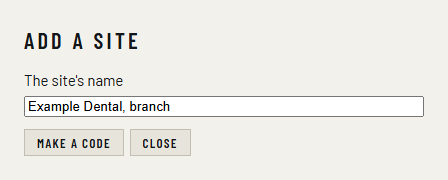
On the hub, open Sites and click Add a site. Give the site a name, such as Example Dental, main office, and click Make a code.
-
Copy the code. It's shown once, works once, and lasts a day.
-
At the client site, deploy Collimo as usual, with its UniFi console and sources, plus:
COLLIMO_ROLE=collector
HUB_ENROL=<the code>
A collector needs no license key: the hub lends its own.
-
Within a minute the site appears on the hub's Sites tab.
The collector keeps its keys on its archive volume, so the code is used only the first time. To move a site to a new Docker host, keep its volume, or enrol it again with a new code.
On the hub
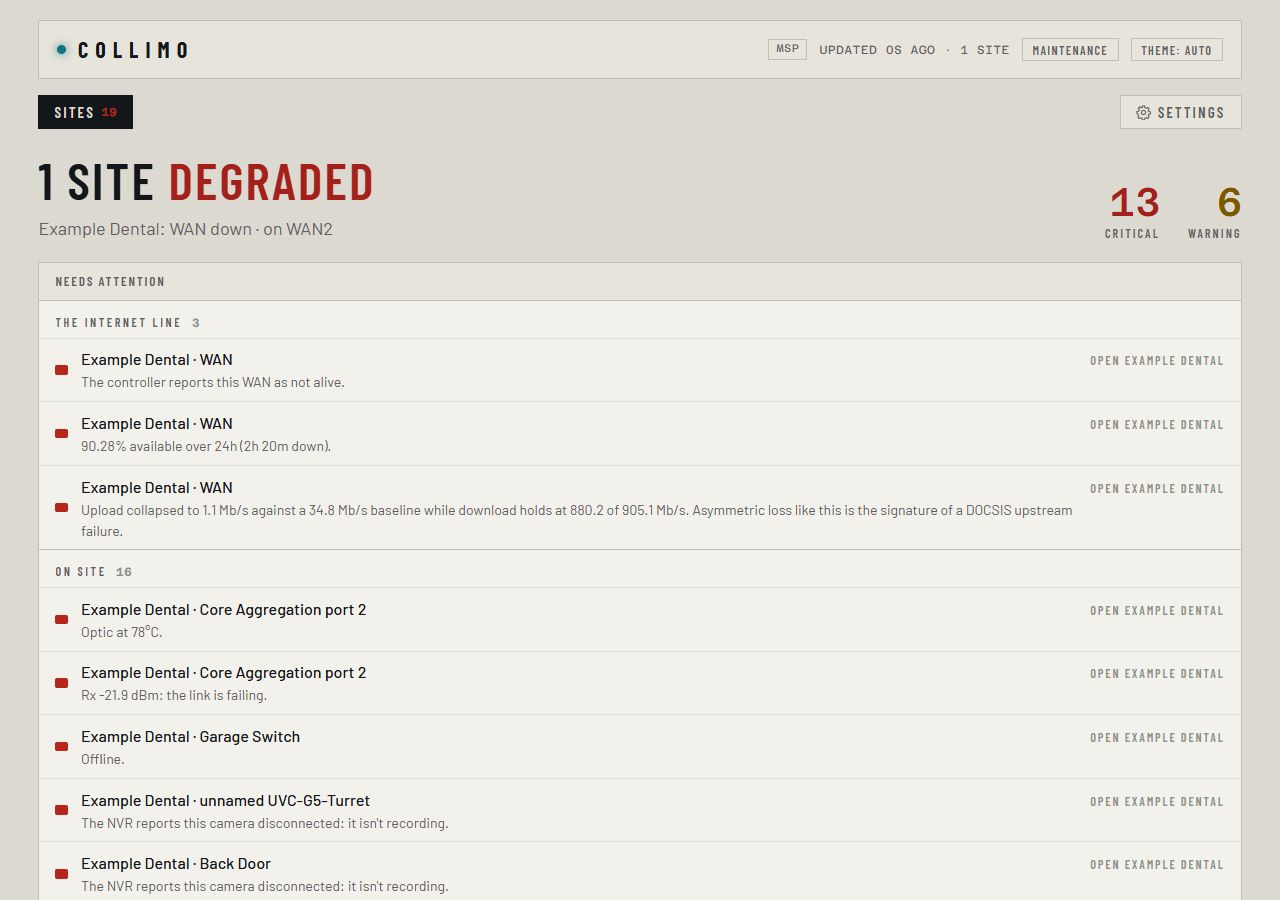
The Sites tab lists every site with its state, its health in one line, its alert counts, when it was last heard from, and its hypervisor hosts. Sites that need attention come first. Needs attention above every tab has every site's alerts, each under its site's name, with a button to open that site.

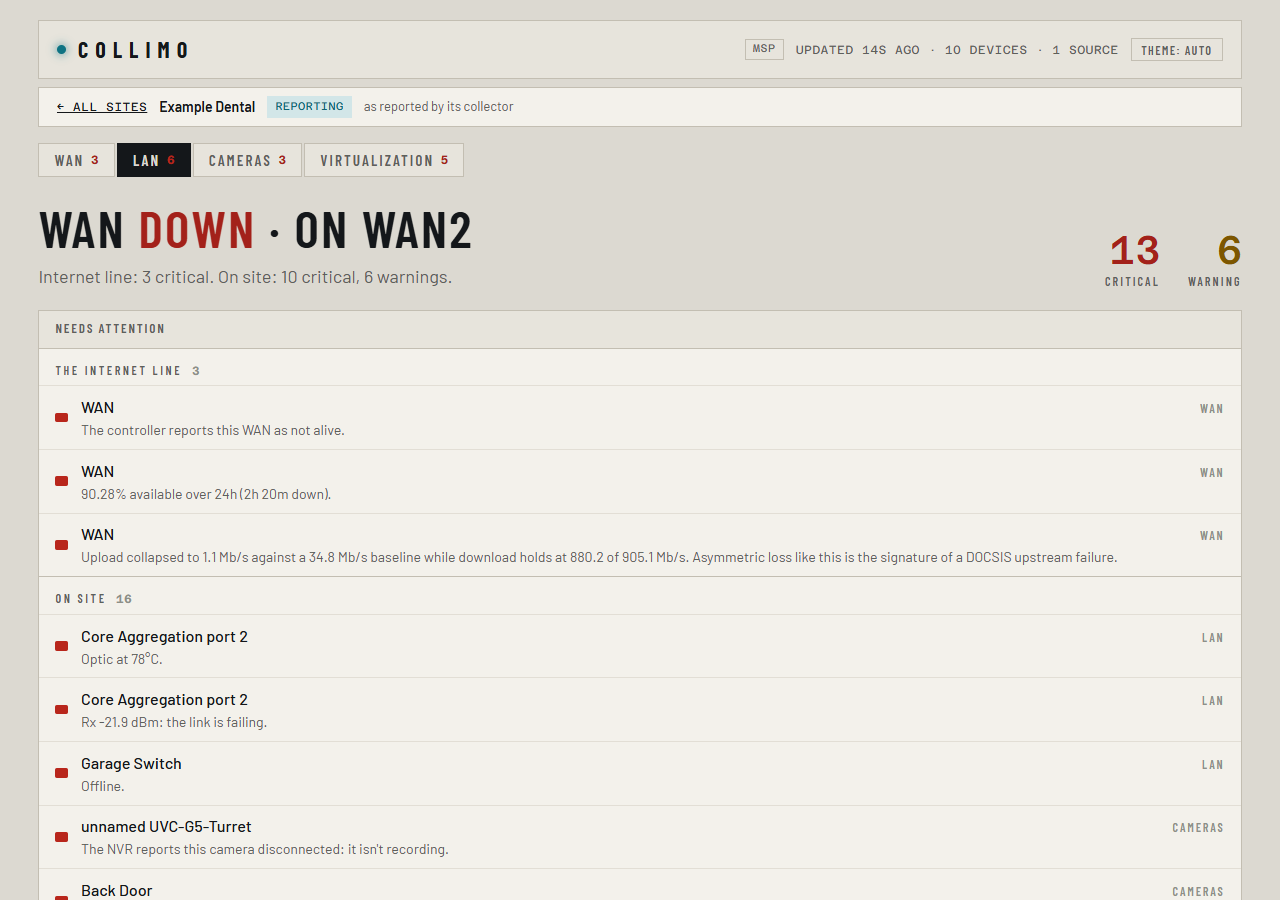
Click a site to open its own dashboard, the same one a single install has, with every tab it has: WAN, LAN, Cameras, Virtualization, Storage, Capacity. A bar above it names the site and leads back to all sites. A site's dashboard on the hub only reads: changing a site's setup is done at the site.
| State | Means |
|---|---|
| reporting | heard from in the last few minutes |
| dark | no word for 5 minutes, 15 on a metered link. The hub raises Site went dark |
| waiting | enrolled, and nothing received yet |
| revoked | refused from now on; its records stay on the hub |
Rename changes a site's name everywhere on the hub; its records keep their ID. Revoke refuses its collector from then on and frees its place on the license.
Notifications
The hub sends notifications for every site, through its own channels and rules, with the same delay, quiet hours and maintenance as a single install (Alerts and notifications). Each one names its site, such as Critical: Example Dental · core switch, and links to that site on the hub. Alerts already true when a site enrols are not news, and aren't sent.
A collector's own channels, if you set any, keep sending from the site: a client's own staff can get their site's alerts that way, and they're the only alerts that still go out while the site can't reach the hub.
At the site: the collector's page
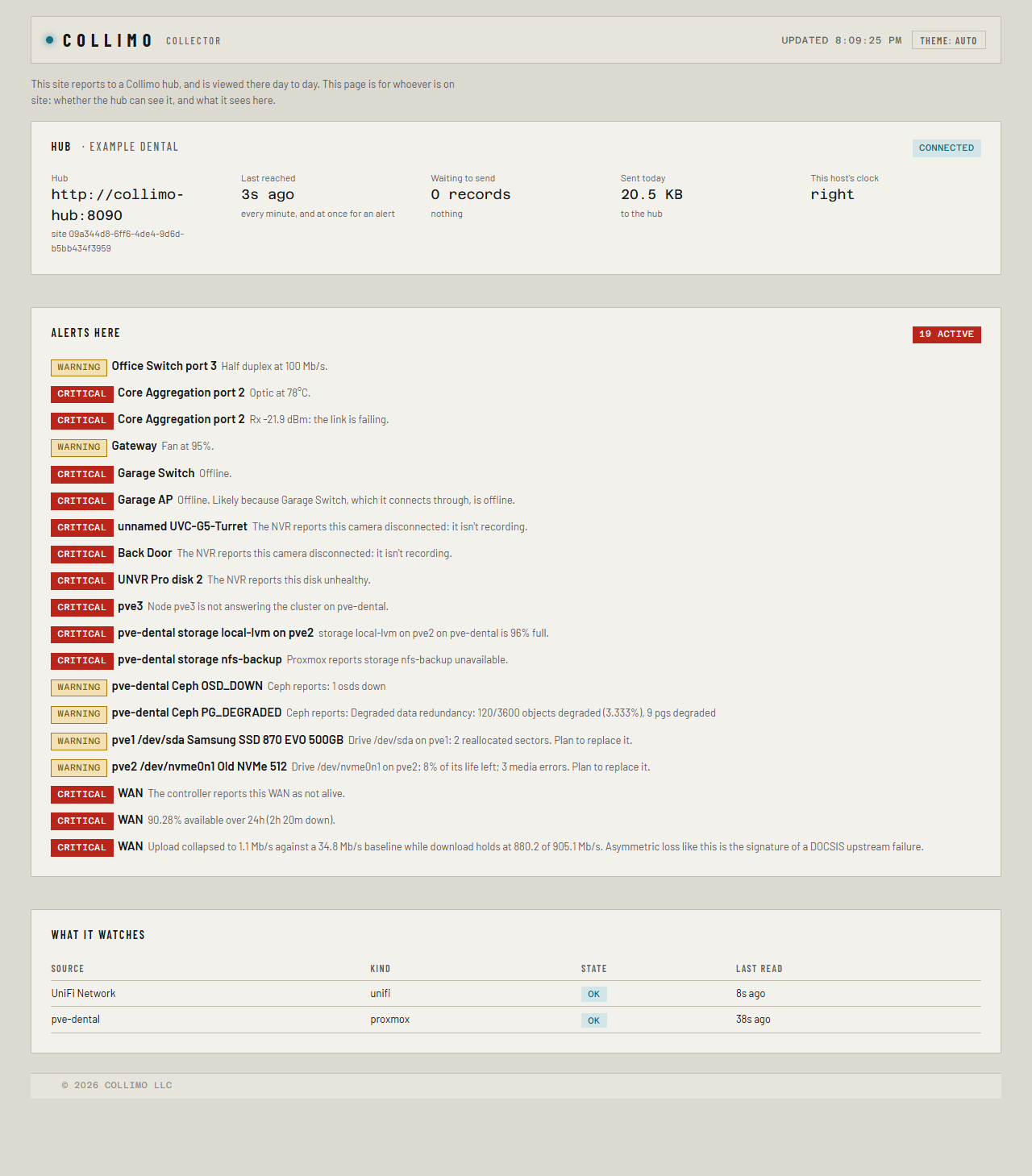
A collector's page, at the site's own address, is a read-only status page
for whoever is on site: whether it reaches the hub, when it last did, what
is waiting to send, how much it sent today, whether the host's clock is
right, and the alerts it sees there. It has no settings: a collector is set
up by its stack's variables, and viewed day to day on the hub. It sits
behind the site's sign-in when ADMIN_PASSWORD is set.
When a site can't reach the hub
The site carries on watching. Its alerts, outages and other records wait on its archive volume, and its graphs for up to 30 days, and all of it reaches the hub when the link is back, oldest first. The hub's record of the site's outages ends up complete, which is the point of watching it.
The collector's status page says whether it reaches the hub, when it last did, and what is waiting to send.
Light on the site's link
Many client sites are on cellular, satellite or thin DSL, and those are the ones that most need watching. After the first sync, a collector sends only what changed: a quiet minute is a few hundred bytes, and a typical site sends a few megabytes a day. The status page shows what it sent today.
On a metered link, set HUB_LINK=metered: the snapshot goes every five
minutes instead of every minute, and graphs hourly. Alerts still go at
once.
The license
The hub's MSP key sets how many sites can enrol, and how many hypervisor hosts they may have between them, counted across every site as one pool. The Sites tab shows both. Past either, the hub raises More sites or hosts than the license covers; every site keeps reporting.
Collectors borrow the hub's key, confirmed with every reply. A site that hasn't heard from its hub for 30 days pauses its paid features; its monitoring and alerts carry on.
Variables
| Name | Where | Meaning |
|---|---|---|
COLLIMO_ROLE |
both | hub, or collector at each site |
HUB_URL |
hub | the address collectors reach it at |
HUB_ENROL |
collector | the enrolment code, used once |
HUB_LINK |
collector | metered on a cellular or satellite link |