TrueNAS
This page gets Ferrule reading TrueNAS SCALE or CORE through its REST API.
What Ferrule reads: model, version, uptime and memory; every pool's status and use; every disk's read, write and checksum errors and temperature; and TrueNAS's own alerts. What it can't: it changes nothing, and it adds no thresholds of its own: alerts are TrueNAS's.
TrueNAS versions
Ferrule uses the REST API, which TrueNAS still offers through 25.10. A release without it fails the test with no REST API at ....
Make the read-only account and API key
- Go to Credentials → Users → Add. Username
telemetry, a long password, and the Read-only Admin role. - Create an API key for the
telemetryuser, and copy it now: it's shown once. On current SCALE releases, API keys are under the account menu at the top right, API Keys → Add.
Make the key for the read-only user
An API key has the rights of the user it belongs to. A key made for
root or your own admin account can change anything.
TrueNAS CORE
CORE has no Read-only Admin role, and its API keys have full rights. Keep the key safe, and keep the API on your management network.
Enter it in the setup wizard
On the wizard's What you have page, set TrueNAS to the number you have. On its page:
- Name: what you call it, such as
truenas. - Address:
https://192.168.1.50. - User: leave it blank to use the API key.
- API key: the key from step 2.
- Leave Verify the certificate off, unless TrueNAS has a trusted certificate.
- Click Test.
When it works you see ✓ Connected: and what it found, such as
2 volumes, 6 disks, all healthy. TrueNAS's open alerts are listed
underneath.
To sign in with the telemetry password instead of a key, put telemetry
in User and the password in API key.
Editing the stack by hand
Each source takes a numbered slot, SOURCE_1 to SOURCE_8, with its
secret beside it. Write any $ in the key as $$.
SOURCE_6=truenas https://192.168.1.50 name=truenas
SOURCE_6_SECRET=<the API key>
Add user=telemetry to the first line to use a password instead. See
Every variable.
Where it shows up
TrueNAS gets a panel on the Storage tab. Settings → Sources lists it as polling; for the first minute it says waiting for first poll.
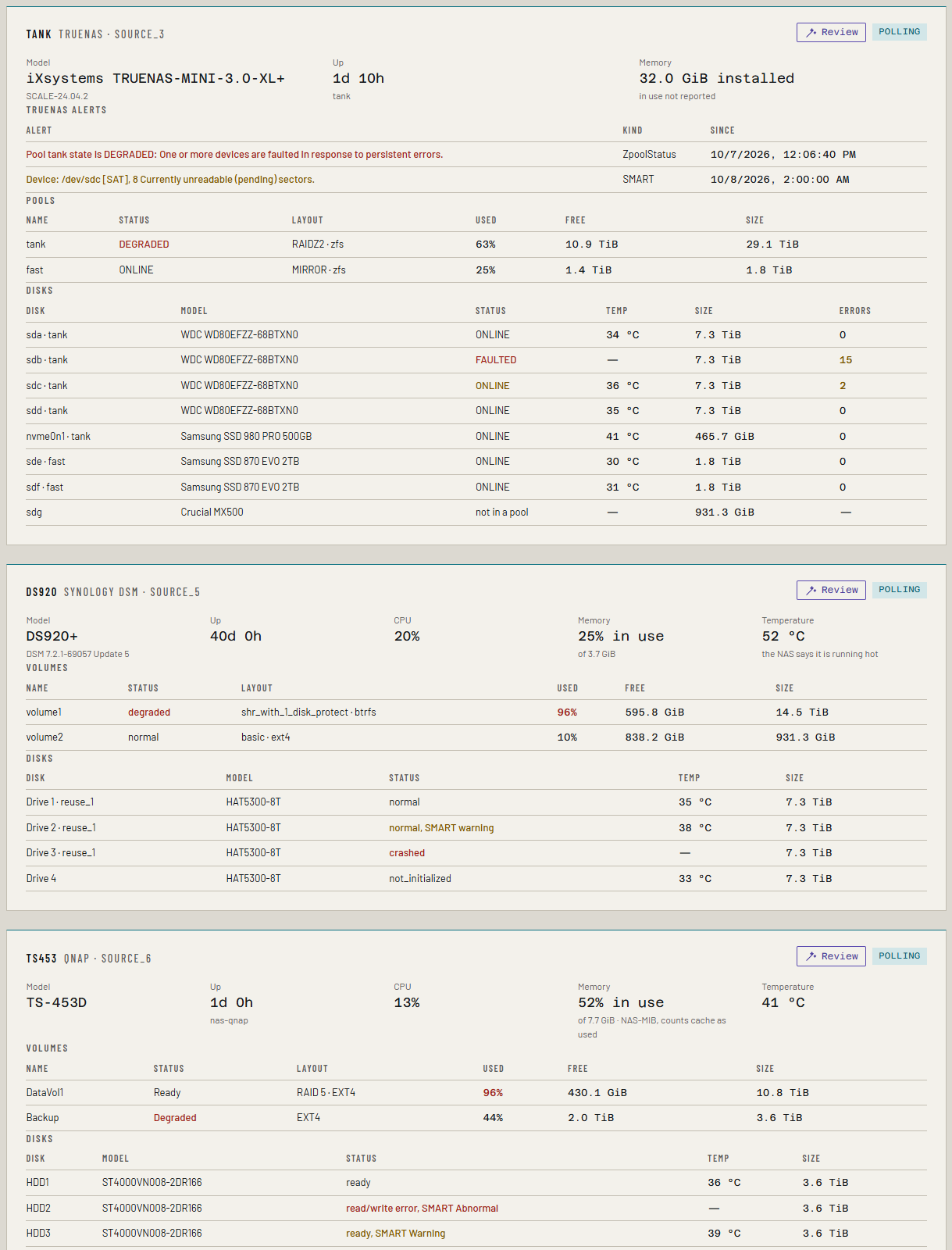
Each TrueNAS alert that isn't dismissed is a Ferrule alert: WARNING is a warning, ERROR and worse are critical. Dismissing an alert in TrueNAS clears it in Ferrule.
Pool layout, for adding disks
New in the next release
This is on the dev and qa builds now, and in the next release.
Ferrule reads each pool's data vdevs: their type (RAIDZ1, RAIDZ2, RAIDZ3, mirror or a single disk), how many disks each has, and the smallest disk in each, which is what every disk in it counts for. Cache, log and special vdevs aren't data, so they don't count. Disks in no pool are counted too, as disks already installed.
The add disks what-if then grows the pool by whole vdevs like the ones it has: a RAIDZ2 vdev of six disks needs six at once and gives four disks' worth. Fewer disks than a vdev's width make no vdev; it says so, and that TrueNAS 24.10 and later can widen a vdev one disk at a time instead.
If something's wrong
| What you see | What to do |
|---|---|
| TrueNAS refused the credentials | The key is wrong or was revoked. If User is filled in, clear it to use the key. |
| TrueNAS denied the account access (403); check its role | Give the user the Read-only Admin role. |
| TrueNAS: no REST API at ...; is this TrueNAS, and older than 26? | Check the address. A TrueNAS release without the REST API isn't supported yet. |
| Nothing answered at that address and port. | Check the address and port. |
| The certificate isn't trusted. | Untick Verify the certificate. |
See Troubleshooting for more.