Settings → Stack environment
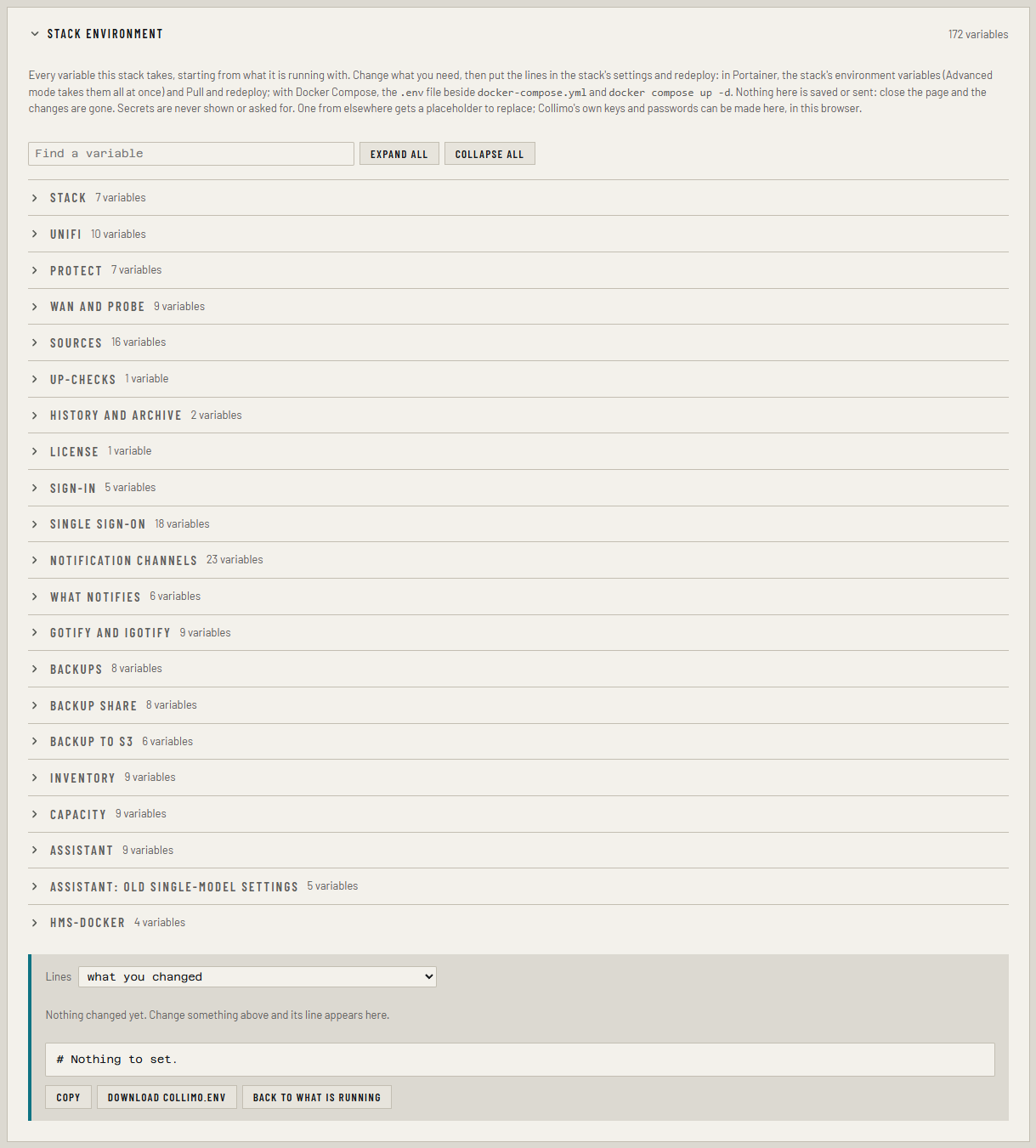
Every Ferrule setting is a variable in the stack's environment. Settings → Stack environment lists all of them, filled in from what the stack is running with, and writes the lines for you to paste. It's free in every edition.
Nothing on this panel is saved or sent anywhere: it only writes text. Your changes take effect when you put the lines in the stack and redeploy. Close the page and unapplied changes are gone.
Change a setting
- Open Settings and find Stack environment.
- Find the variable: type part of its name or what it does into Find a variable, or open its group, such as Backups or Sign-in.
- Change it. Each variable says what it does under its box, and its default shows greyed when it's empty. A changed one is marked changed.
- Below the groups, Lines shows what you changed: one line per
variable. A line ending in
=sets that variable back to empty. - Click Copy, or Download ferrule.env.
- Put the lines in the stack and redeploy:
- Open the
ferrulestack and find Environment variables. - Add or change the lines. In Advanced mode you can paste several at once.
- Click Pull and redeploy.
- Open
.envin the folder where you clonedferrule-deploy. - Add or change the lines.
- Run
docker compose up -din that folder.
In Portainer you can also load a downloaded file with Environment variables → Load variables from .env file. Change or add only the lines shown, and leave every other line as it is.
Other panels on Settings hand their lines here too, such as Add to Stack environment on Notifications, and Make a key on Backups.
Secrets
Passwords, keys and tokens are never shown here, and never asked for. Each says only whether it's set or not set, with a choice:
| Choice | Writes |
|---|---|
| set: keep it | nothing, in what you changed |
| clear it | NAME=, which turns it off |
| a placeholder to replace | NAME=<replace this>. Put the real value in the stack, never here |
| Make a key or Make a password | a new random value, made in your browser, for Ferrule's own keys and passwords such as BACKUP_KEY, SETTINGS_KEY and ADMIN_PASSWORD |
A value made here is shown once, in the lines. Keep a copy somewhere safe.
Where replacing a value loses something, such as a new SETTINGS_KEY or
BACKUP_KEY, the panel asks first and warns under the lines.
A $ must be written $$
If you type a value containing $ into the stack, such as a password
in place of <replace this>, write each $ as $$. Compose reads $
as the start of a variable, so pa$word would arrive as pa.
The three kinds of lines
| Lines | Use it for |
|---|---|
| what you changed | Changing a running stack. The usual one |
| everything not at its default, for a new stack | Moving to a new host, or keeping a copy of your settings. Pasted into Portainer's Advanced mode, or saved as .env, it replaces every setting there |
| every variable, defaults too | A reference, or a complete starting .env |
In the last two, a secret that's set shows as <keep the value set now>.
Copy those values from the old stack before pasting, or they're lost.
What the marks mean
- paid: the variable belongs to a paid feature. It's accepted in every edition, but does nothing without a license or the trial.
- Compose: read by Docker Compose for the stack, such as
WEB_PORTorCOMPOSE_PROFILES, rather than by Ferrule itself.
The panel also warns about combinations that won't work, such as the
postgres profile without INVENTORY_DB_PASSWORD, or quiet hours without
TZ.
If something's wrong
| What you see | What to do |
|---|---|
| A value shows as its default although you set it | The stack didn't pass it in. Check it's saved under the stack, and redeploy |
| A red note under a box | The value isn't in the right form, such as 30s for a duration or 03:30 for a time |
| A secret shows not set after you set it | Check for a typo in the variable's name in the stack |
More in Troubleshooting.