Sign-in, users and roles
Sign-in is off until you turn it on: until then, anyone who can reach port 8090 sees everything. This page turns it on, adds people, and connects your directory.
| What | Edition |
|---|---|
One admin, from ADMIN_PASSWORD |
Free, in every edition |
| Local users and groups, managed in the browser | Paid, and free during the 30-day trial |
| Single sign-on through OIDC or LDAP | Paid, and free during the 30-day trial |
| The audit log | Every edition, once sign-in is on |
The roles
| Role | Can |
|---|---|
| viewer | See every tab and panel |
| operator | Also test notifications, start and end maintenance, Back up now, Take inventory now, and ask the assistant using a model on your network |
| admin | Everything: the license, users and groups, alert thresholds, the audit log, Run setup again, and the assistant's hosted models |
Turn on sign-in (free)
Add these lines to your settings:
ADMIN_USERNAME=admin
ADMIN_PASSWORD=a-long-password-of-12-or-more
ADMIN_USERNAMEis optional. It defaults toadmin.- The password must be at least 12 characters, or Ferrule won't start and its log says why. Settings → Stack environment can make one with Make a password.
- A
$in the password must be written$$.
Then apply them:
- Open the
ferrulestack and find Environment variables. - Add or change the lines. In Advanced mode you can paste several at once.
- Click Pull and redeploy.
- Open
.envin the folder where you clonedferrule-deploy. - Add or change the lines.
- Run
docker compose up -din that folder.
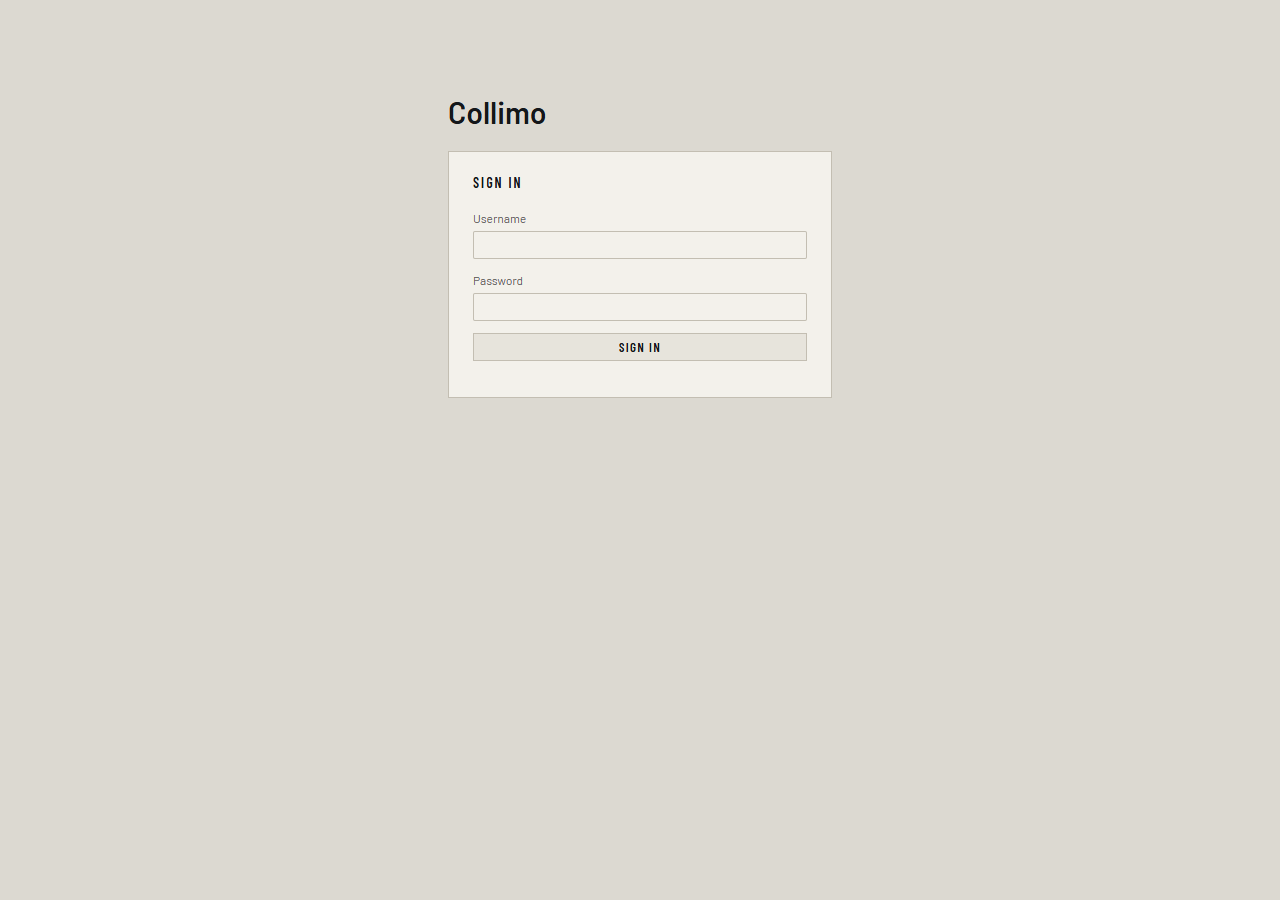
Open the dashboard and you'll see the sign-in page. Sign in with the username and password you set.
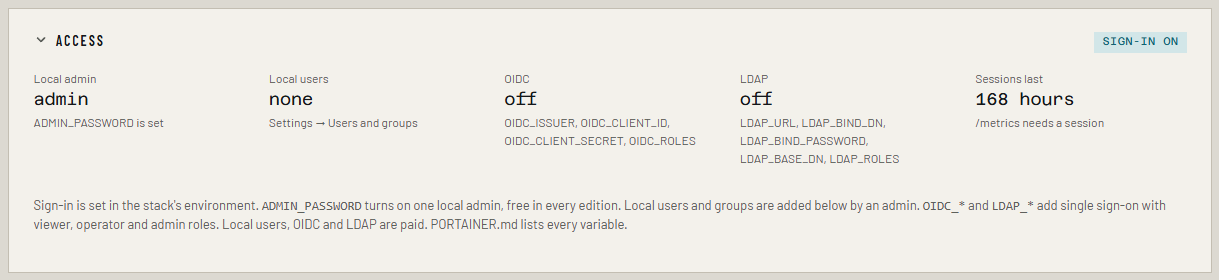
Settings → Access now shows sign-in on. Changing ADMIN_PASSWORD
later signs everyone out. Five wrong passwords within fifteen minutes lock
that username, and that address, for five minutes.
Keep the admin password, even with single sign-on
It's the way in that never depends on a license, or on your directory being up.
Local users and groups (paid)
For a team with no directory. Each user has a role of their own, and can be in groups that give a role. A user gets the highest of these.
- Sign in as the admin and open Settings → Users and groups.
-
The first time, it asks for
SETTINGS_KEY, which encrypts your users on the volume and in backups. Click Make a key, add the line to your settings, and redeploy. The setup wizard writes this key for you if you turned sign-in on there.Keep a copy of SETTINGS_KEY
Store it outside the stack, such as in your password manager. A new key can't read what the old one encrypted, so your users would be lost.
-
Fill in Username (lower case), Full name, Password, 12 or more characters, Own role and Groups, then click Add user.
- To give a role through a group, fill in Group name and Gives, then click Add group.
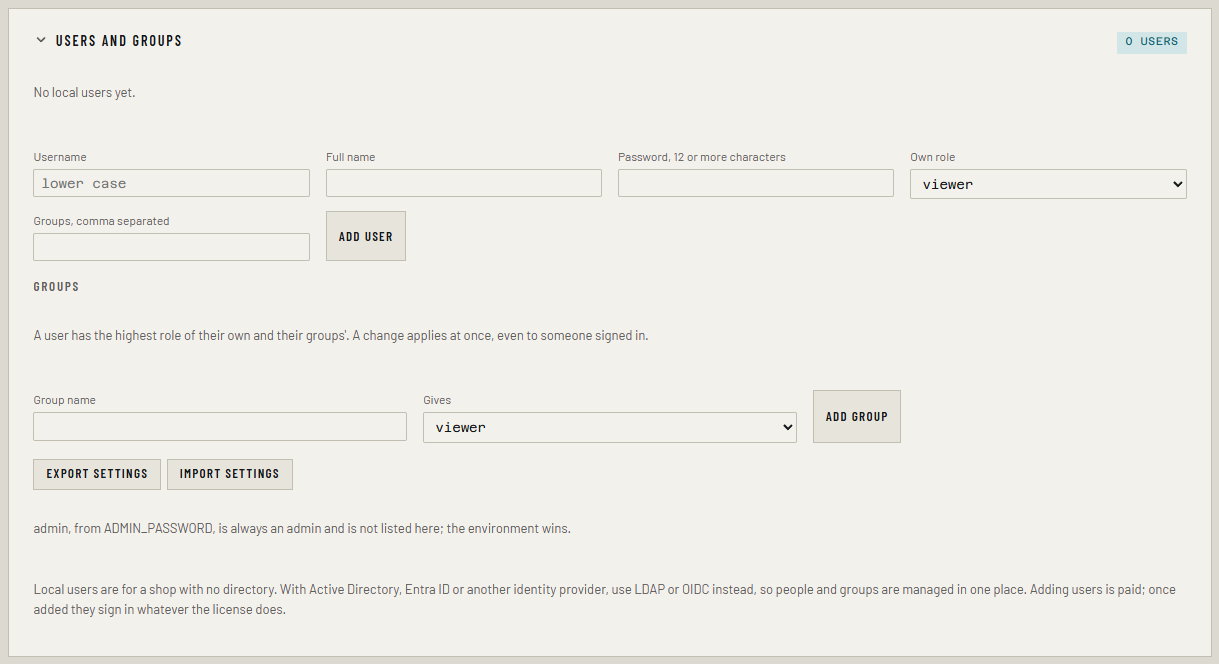
Changes apply at once, even to someone who's signed in. Disable, or a new password set with Password, signs that user out everywhere. Local users can change their own password under Your password on Settings.
Export settings downloads users, groups and alert thresholds as one
encrypted file. Import settings loads it into another install with the
same SETTINGS_KEY.
Single sign-on (paid)
For Entra ID, Google, Okta, Authentik, Keycloak and other OpenID Connect providers.
- Set
DASHBOARD_URLto the address people use, such ashttps://ferrule.example.com. - At your provider, register Ferrule as a web application. The
redirect URI is your
DASHBOARD_URLplus/auth/oidc/callback:https://ferrule.example.com/auth/oidc/callback. -
Add these lines with your provider's values:
OIDC_ISSUER=https://login.microsoftonline.com/<tenant-id>/v2.0
OIDC_CLIENT_ID=<the application's client ID>
OIDC_CLIENT_SECRET=<its client secret>
OIDC_NAME=Microsoft
OIDC_ROLES=ferrule-admins:admin; it-team:operator; @example.com:viewer
The sign-in page gets a Sign in with Microsoft button.
- Groups: Ferrule reads them from the
groupsclaim (OIDC_GROUPS_CLAIMchanges the name). Some providers send groups only if you addgroupstoOIDC_SCOPES. Entra ID sends group object IDs once the groups claim is turned on for the app, so put those IDs inOIDC_ROLES. - Email and
@domainentries count only when the provider marks the address as verified.
People sign in on the same form as the admin, with their directory username and password.
LDAP_URL=ldaps://dc1.corp.example
LDAP_BIND_DN=CN=svc-ferrule,OU=Service,DC=corp,DC=example
LDAP_BIND_PASSWORD=<that account's password>
LDAP_BASE_DN=DC=corp,DC=example
LDAP_ROLES=CN=Ferrule Admins,OU=Groups,DC=corp,DC=example:admin; CN=Helpdesk,OU=Groups,DC=corp,DC=example:viewer
- Use
ldaps://, orldap://withLDAP_STARTTLS=true. Plainldap://is refused, because it would send passwords unencrypted. - The bind account is a read-only service account that can search for users.
- Roles come from each user's
memberOf. Only direct membership counts: nested groups are not followed. - If the directory's certificate comes from your own CA, put that CA's
certificate in
LDAP_CA_CERT.
The role list. OIDC_ROLES and LDAP_ROLES are entries separated by
;, each one who:role. who is a group (a name, an ID, or for LDAP the
group's full DN), an email address, @domain for everyone at that domain,
or * for anyone the provider signs in. Someone who matches nothing is
refused, so pointing OIDC at Google doesn't let in every Google account.
Settings → Access shows each one, and how many role rules it has. If the trial or license ends, single sign-on stops but the dashboard doesn't open up: the local admin still works, and the sign-in page says why.
The audit log
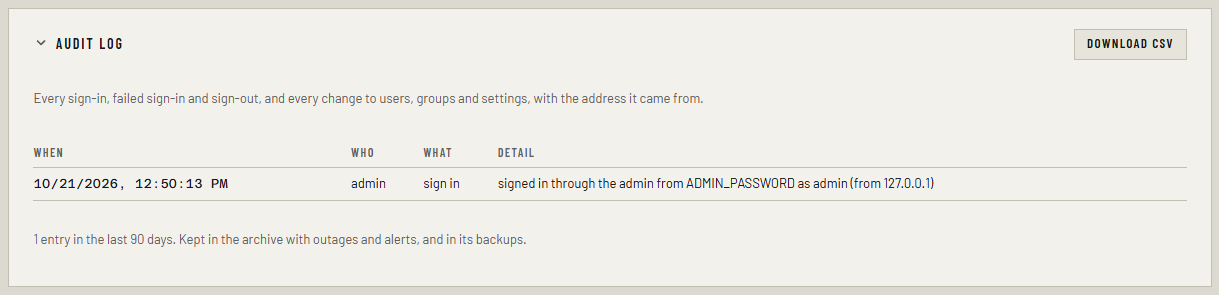
Every sign-in, failed sign-in and sign-out, and every change to users, groups and settings, with the address it came from. Admins see it under Settings → Audit log, and Download CSV gives the whole log for an auditor. It's kept in the archive with outages and alerts, and goes into backups.
If something's wrong
| What you see | What to do |
|---|---|
ADMIN_PASSWORD must be at least 12 characters in the ferrule log |
Use a longer password |
OIDC: set DASHBOARD_URL (or OIDC_REDIRECT_URL) in the log |
Add DASHBOARD_URL |
| "Your account is valid, but…" after signing in | That person matches nothing in OIDC_ROLES or LDAP_ROLES. Add one of their groups, or their address. The ferrule log names who it was |
| "Single sign-on is a paid feature…" on the sign-in page | The trial or license has ended. Sign in as the local admin |
| No Users and groups panel on Settings | Sign-in is off, or you're not signed in as an admin |
More in Troubleshooting.