What Ferrule is
Ferrule watches a small rack, from the hypervisors and storage to the power and the network, and plans for it. It answers the questions that come before a purchase order: when a cluster will be full, what happens if a host dies, whether the next server fits, and what was running on a given day. It runs as a small Docker stack on your own hardware, in Portainer or with Docker Compose, and only reads from what it watches.
Private beta
Thanks for testing Ferrule. If something doesn't work the way these pages say, or they leave you stuck, please open an issue on GitHub (what to include).
What it shows you
- Hypervisors. Proxmox VE with Ceph, and VMware vCenter and ESXi: hosts, clusters, virtual machines, snapshots, datastores and Ceph pools.
- Backups and storage. Proxmox Backup Server, Synology, QNAP and TrueNAS: backup stores and their retention, pools, volumes and disks.
- When it runs out. Capacity planning forecasts when each cluster, datastore, Ceph pool, backup store and NAS volume fills. It also shows what survives losing a host, what if you add VMs or hardware, whether a new host fits the rack, and what you can take back. Solid-state drives get a date for wearing out.
- What you have, on any day. Inventory reports of every VM, disk, host and datastore, as Excel, CSV or HTML, with a daily sheet of what changed.
- The hardware and the power. Server BMCs (Redfish), UPSes and PDUs: power draw, fans, temperatures, power supplies and their redundancy, and drive health (Power and servers).
- The network. Managed switches from any maker drawn as their real front panels, what is plugged into each port, and up-checks for anything with an address.
- UniFi, if you run it. Everything above works without it
(Watching without UniFi). With a UniFi
console, Ferrule adds what UniFi's own screens leave out:
- fan speeds and port errors;
- fibre optic levels;
- the disks in a Protect recorder;
- Wi-Fi channel overlap;
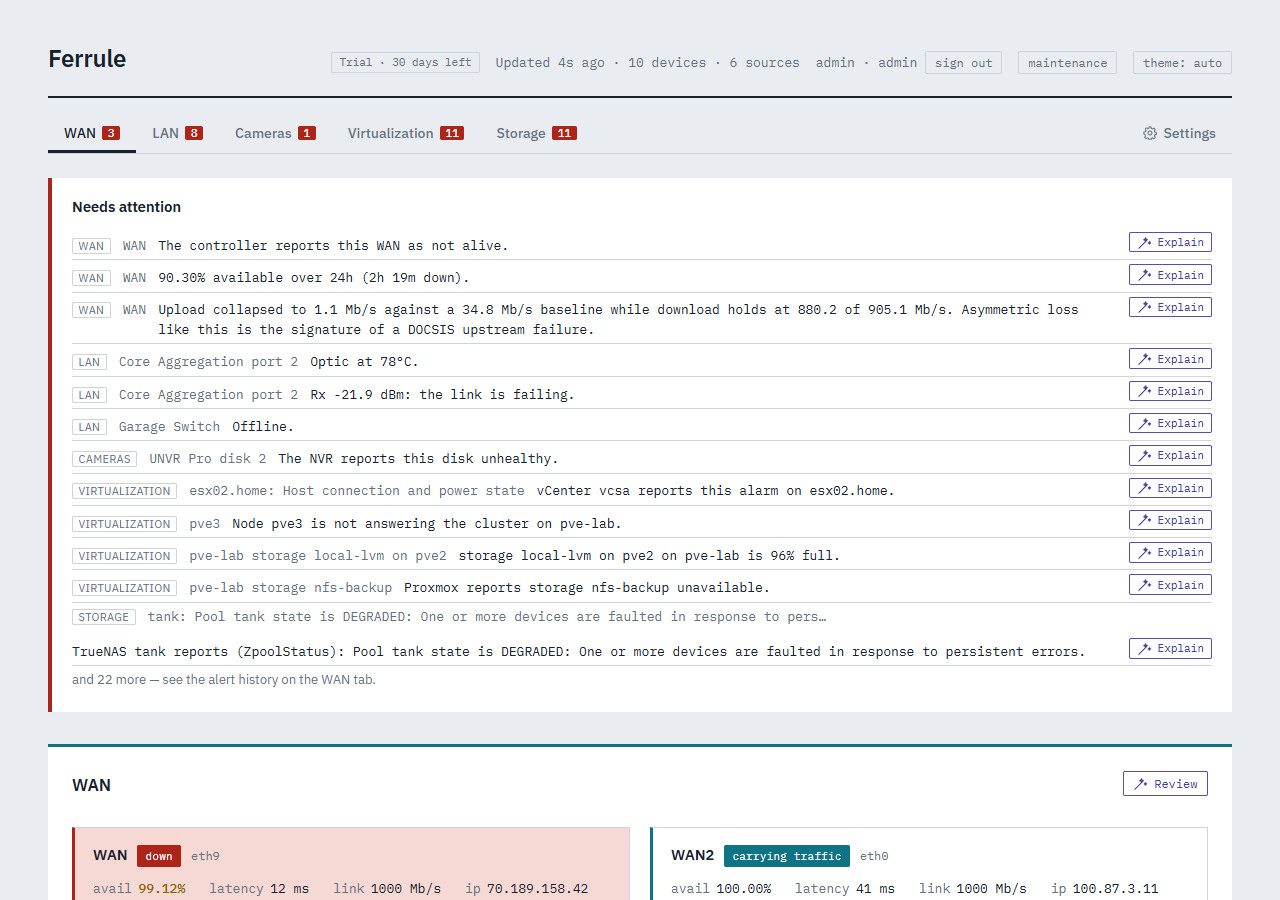
- a record of every internet outage that outlives the controller, with why the cable modem last restarted, so a problem last Tuesday is still there to show your ISP.
When something needs you, it appears under Needs attention at the top of every page, and Ferrule can send it to your phone.
What it never does
- It never changes anything on your servers, storage or network. Every account you give it can only look, as far as each system allows. (Synology is the exception: it only shows disk health to administrators, so that account is an administrator with every app and folder denied.)
- It never sends your data anywhere. Everything it reads stays on your Docker host. Ferrule itself fetches one thing from the internet, a daily license check, which carries no data about what it watches. Your browser also loads the dashboard's fonts from Google Fonts. The optional assistant is the one exception you choose to make (The assistant). The details are in License check and privacy.
Getting started
- Before you begin: what you need. About five minutes to read.
- Install: start an empty stack. About five minutes.
- The setup wizard: Ferrule asks what you have, tests every account, and writes your settings. About ten minutes.
- Your first look: a tour of the dashboard.
What works with what, and what's been tested on real hardware: Compatibility.